Skip to content

Support your Staff.
Protect your Pupils.
Improve your response times.

TeacherAid makes it quick and easy for teachers to request help or First Aid support, so help arrives faster and learning stays on track.

Teacher Aid Application

TeacherAid sits on the teacher’s computer and allows staff to send an OnCall or First Aid request in seconds. The request appears instantly on the school dashboard, where support staff can view it and mark themselves as en route.

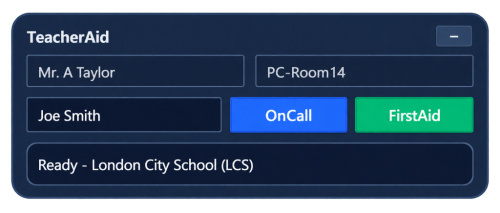
One-click requests

Quick One-Click request for Help and FirstAid.

Live Dashboard

Live dashboard for support staff to view the requests.

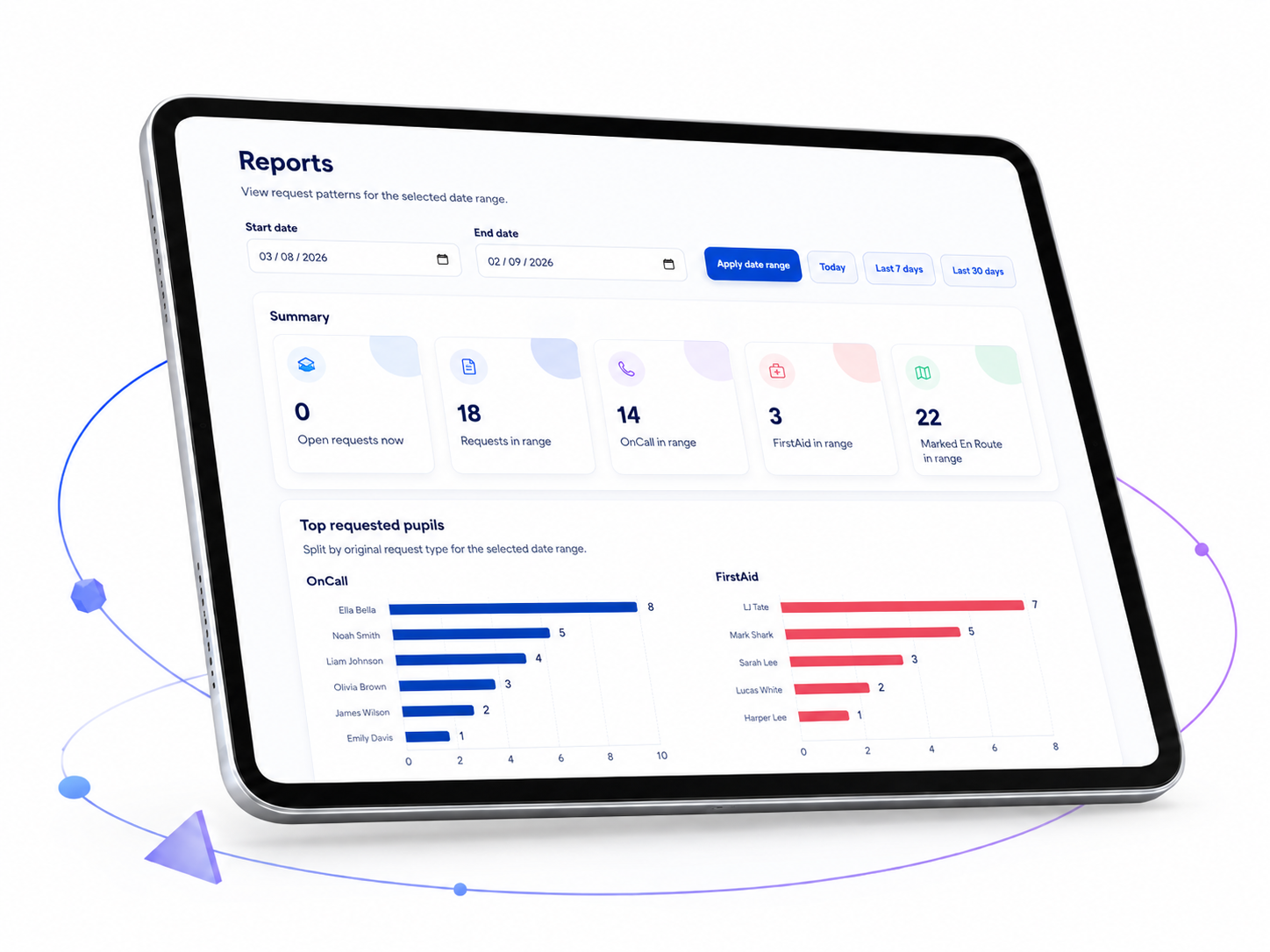
History and Reporting

History and reporting tools to help identify tends.


How it works

We can tailor the design to accommodate how the school currently operates when dealing with pupil removals and First Aid requests. However, below are the two main ways the application can work for your school:


Option 1


  • 1. Teacher sends request

    The teacher enters the pupil name and selects OnCall or First Aid.

  • 2. Support staff are alerted

    The request appears on the live dashboard with a notification of the Student’s name, Classroom and Teacher that sent the request.

  • 3. Help is marked En Route

    Staff can confirm they are responding, giving visibility across the team.

  • 4. Pupil is collected

    The child is then removed from the classroom by the support staff, allowing the teacher to continue focusing on teaching.


Option 2


  • 1. Teacher sends pupil to Timeout Room

    The teacher enters the pupil’s name and selects Timeout button (replaces OnCall). The time the pupil is sent is automatically recorded.

  • 2. Timeout Room staff are notified

    Staff in the Timeout Room receive the request showing the pupil’s name, classroom/teacher and the time they were sent.

  • 3. Pupil arrives at the Timeout Room

    When the pupil arrives, a member of staff clicks Received to confirm their arrival.

  • 4. Arrival is recorded

    TeacherAid records the time the pupil was sent and the time they were received, along with the staff member who confirmed their arrival. This provides a clear record of how long it took the pupil to reach the Timeout Room and confirms that they arrived safely.


If you would like us to tailor the system to meet the needs of your school, please get in touch.

Reporting system

The reporting system helps schools review support requests over time, including OnCall and First Aid activity. It can show patterns such as frequent request times, repeat locations, common pupils, and which staff are requesting support most often.

This helps school leaders identify trends early, improve response planning, and spot areas where additional support or teacher training may be useful. It also provides a clear history of requests, helping schools make better informed pastoral, safeguarding, and operational decisions.